If you’re looking for a tool to capture your notes, keep track of your reading, and to take your writing to the next level, Obsidian paired with Claude Code is a game changer.
What’s So Special About Obsidian?
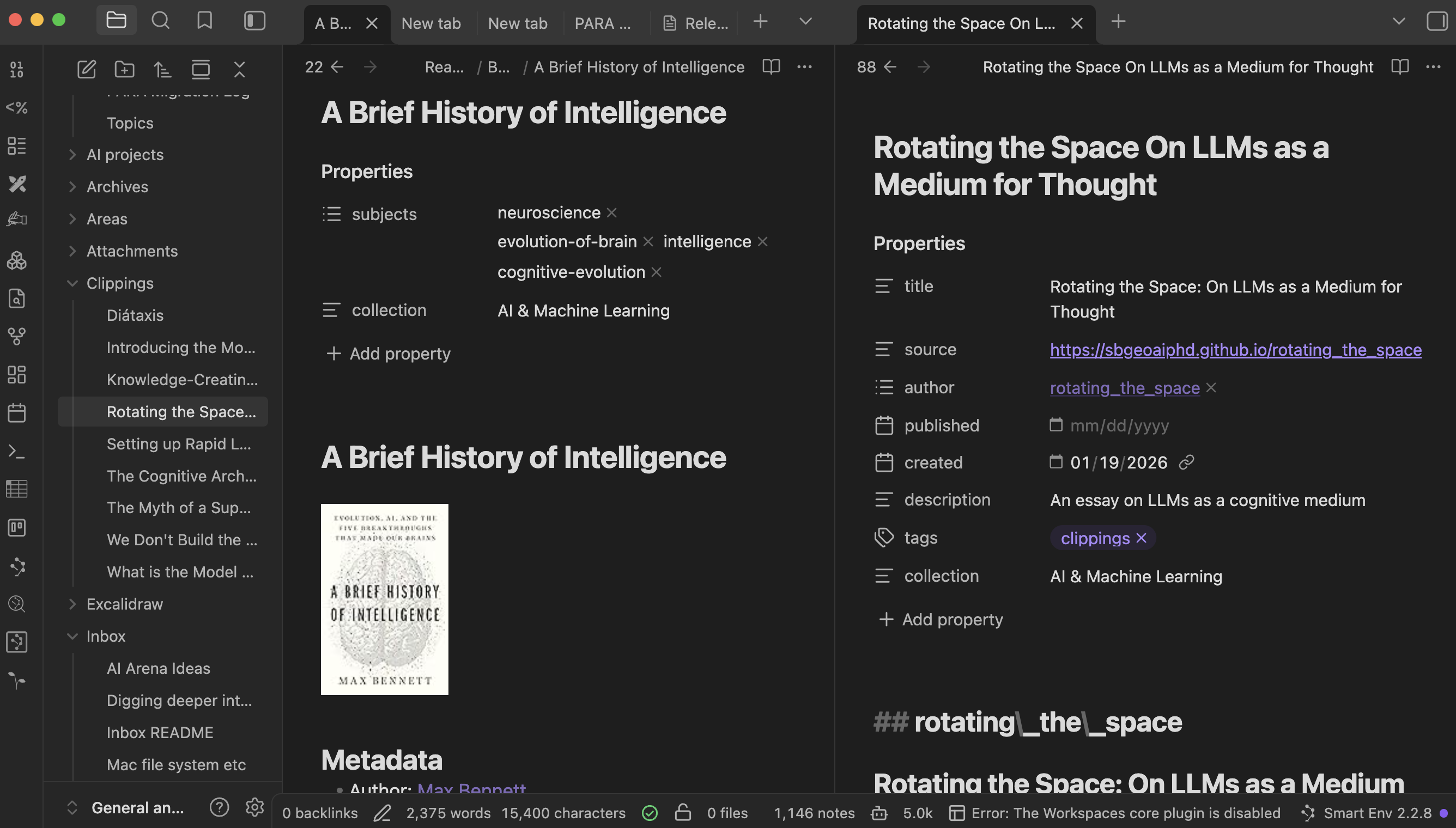
At first glance, Obsidian is just a place to dump your notes (You can download Obsidian for free for Mac. Get the free iOS app from the App Store. You won’t see a carefully crafted experience that leads you by the nose like other slick notebook apps. But once you push past this initial tabla rasa, once you start setting up your environment, you’ll see how powerful it is. The cult following of Obsidian comes from its popularity for building a Second Brain or a Personal OS. The philosophy is “files before apps.” As you layer in more features to your personal system, the files keep their primacy as your personal “app” grows in utility and power. To name a few of its features: - Easily tag and link your notes - View your notes in tabs - Killer builtin plugins like Bases, Canvas, Daily Notes, Graph View

The Simplicity, Portability and Power of Markdown
One big selling point of Obsidian, from the beginning, has been the format of its notes: simple markdown. Markdown is a file form (.md) that is absolutely platform agnostic. Why? Because it’s just plain text. You would use *this is crazy* to add italics: this is crazy. That’s how markdown works, so you’re not locked into a proprietary file name like .docx or .pdf. The notes you create today in Obsidian, you will have in 10 years. I’m sure you’ve had the experience where you lost old notes because they are locked away in some proprietary app.
Not only are your notes jotted down in plain text, Obsidian saves them securely on your local machine, not in the cloud. You can pay a subscription to also backup your Obsidian “vault” in the cloud and sync across devices, that’s what I do. I know there’s a a way to do it for free too, but Obsidian sync is absolutely slick for this purpose and not too pricey.
Second, the New Super High Tech Reason to Love Markdown
I’m going to jump straight to this point since AI is setting the world on fire right now. Feel free to skip this bit if you just aren’t interested, but if you’ve been using ChatGPT or some other chatbot, the applications with Obsidian could open your eyes to a whole new world.
Why is markdown important here? It’s quite possible you’ve been dropping weblinks into a ChatGPT chat and asking for advice on topic X. Turns out, the formatting of webpages has a high noise-to-signal ratio. You see a lovely formatted webpage, your LLM sees this. Not to mention that most websites these days are built with React or something similar, and your LLM will get lost in the labyrinth. It needs simple text that is simply structured, not a spaghetti monster.
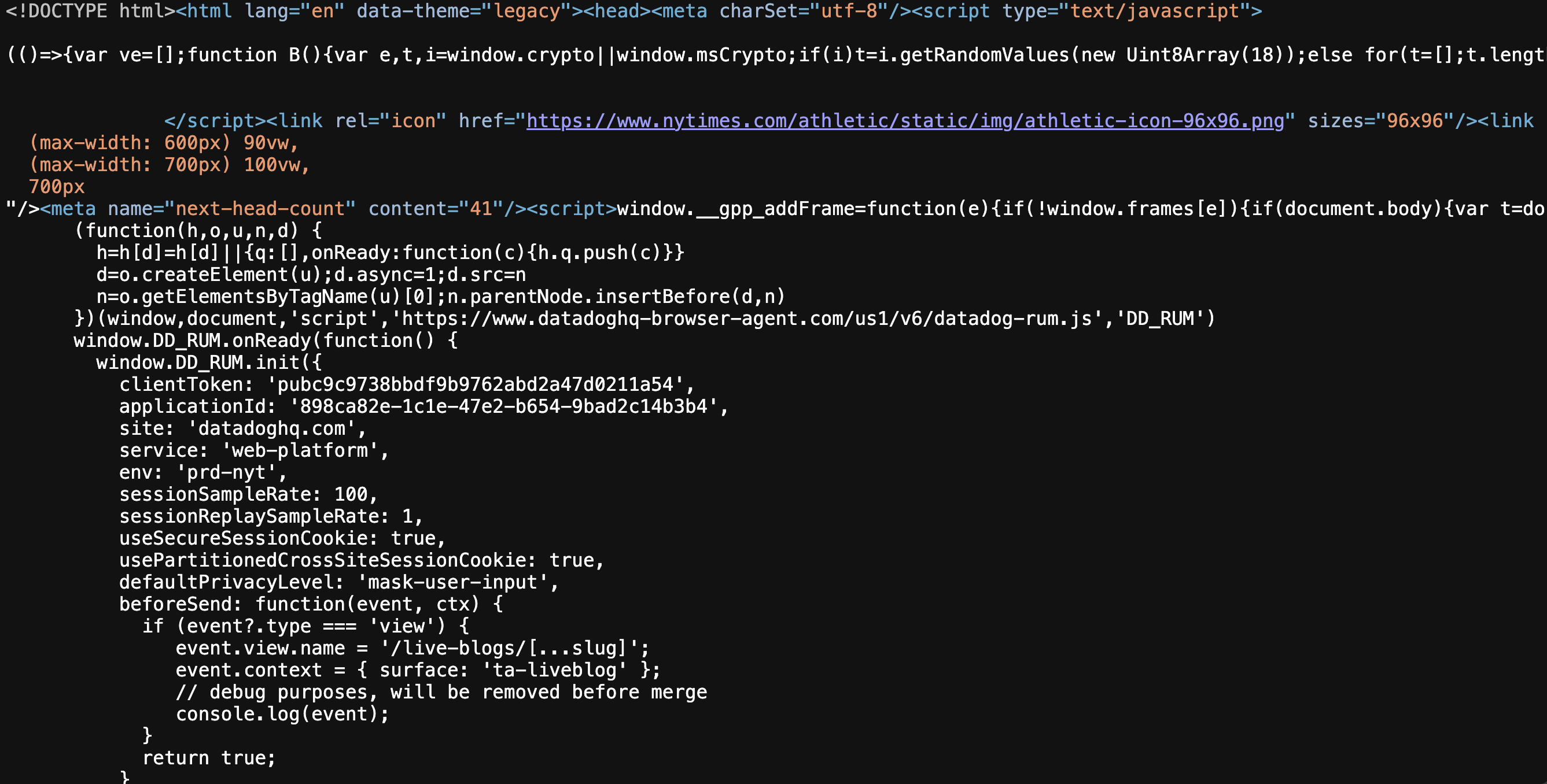
Side note here, if you’re trying to get help from an LLM and you’ve just been throwing it weblinks, it’s a good idea to transform that information into markdown first. Maybe not all the time, but if you’re working on a big project and giving your LLM a lot of context, you’ll get much better results with markdown.
So How Do LLMs Figure In?
Let’s say you download Obsidian and you start syncing your book highlights since you have all your books in Kindle and you record your highlights in the Readwise app (Obsidian has a plugin which allows you to easily dump those into your Obsidian vault). So you want to organize those highlights, figure out how they all relate, start seeing all kinds of obscure connections among ideas. That would be hours and hours and days and days of work. What’s the solve?
- Spring for the $20-per-month Claude subscription.
- Follow the instructions on the Claude website to download Claude Code.
- Open the terminal on your computer.
- In terminal, navigate to your Obsidian vault (I use Ghostty, a cool terminal, but the one that comes packaged with your OS is just fine.)
- Once you are pointed at the vault, just run the
Claudecommand to start Claude Code and start telling the LLM what to do. Simply ask it to give you a plan to organize your notes. It will think for a while, then suggest an approach, which you can accept or modify or reject at your leisure. I will write more about this later on, and things are changing fast, but these are the bare bones.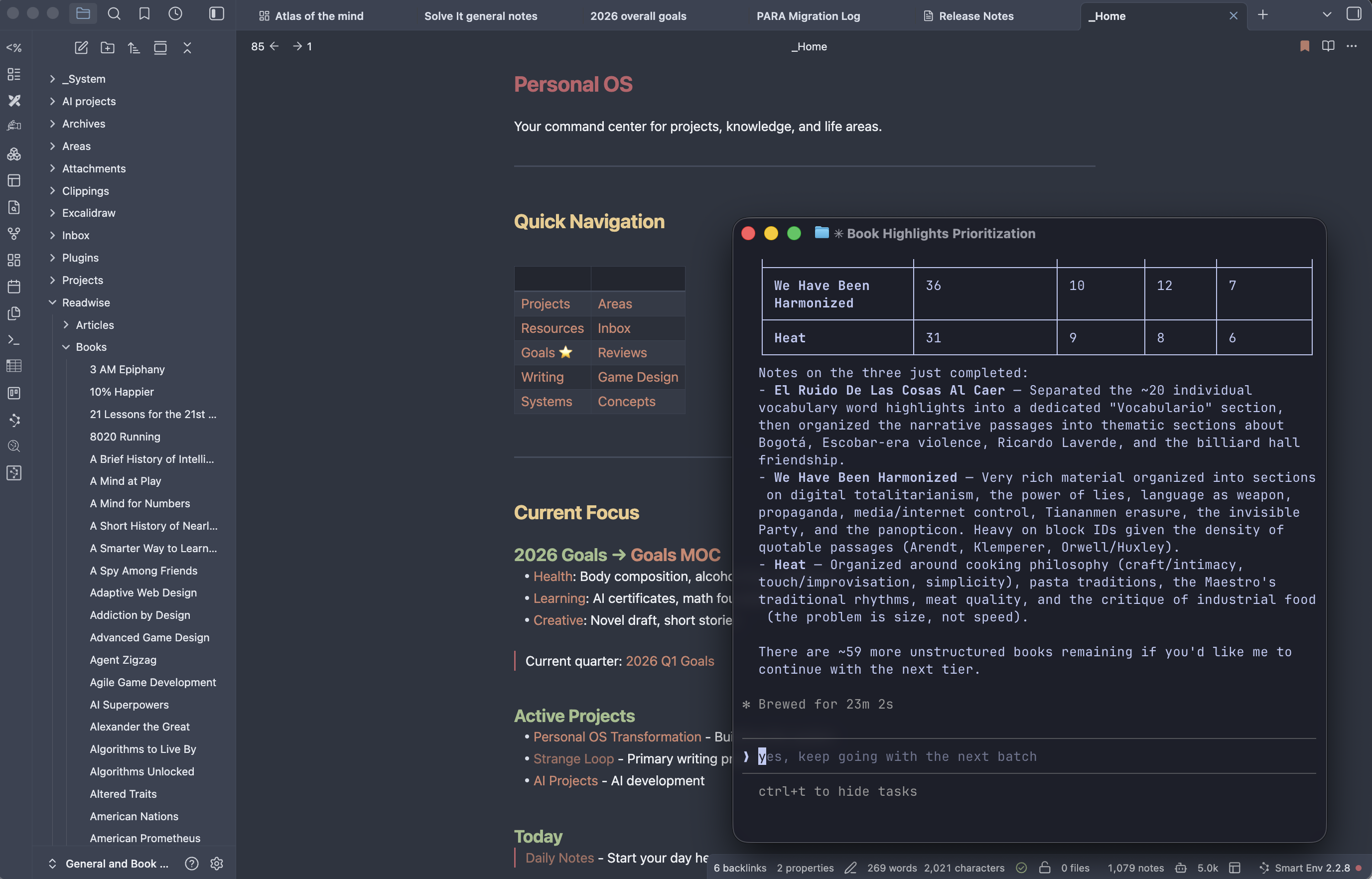
Where Should I Start & Plugins
As mentioned above, Obsidian is a great place to dump your book highlights. It’s also a great place to work through your task lists, to do your free writing every morning, to capture Web highlights you would have otherwise lost. Some novelists use it for world building since they need a place where they can keep all their interconnected ideas all together. I even publish my blog directly from my Obsidian vault. There are a ton of builtin plugins for Obsidian and a million and one community plugins to explore. My main advice would be, don’t get overwhelmed by all the options. Find one or two applications you love and start there. In the past, a huge blocker for a lot of people was the issue of having a huge mess of notes locked away in their vault and didn’t have the time or inclination to really try and organize it. With tools like Claude Code, that issue has disappeared.